How to add a color layer in Photoshop. This is a free beginner tutorial showing how to add a colour layer in Photoshop. Photoshop is the grandaddy of most of the computer software that we use today. It is a very flexible tool that can be used for all sorts of tasks - including animation.

Showing posts with label free stuff. Show all posts
Showing posts with label free stuff. Show all posts
Thursday, 16 April 2026

Saturday, 25 October 2025
Free Cartoonland Set at Turbosquid
 |
| Download the free Cartoonland set from Turbosquid |
Monty is a very cartoony character, and he works best in a very cartoony environment. As digital artists, animators need to think about the overall style of a shot, keeping all the elements consistent.
Friday, 17 October 2025
Can You Get Maya For Free?

For all our students starting with us in our next scheduled class, Autodesk offer an education copy of Maya for free - you can download it from the official Autodesk site.
Autodesk Maya has been the dominant software package in 3D animation for over 20 years. I first used Maya 1.0 on "The Iron Giant", back in 1998. And today it remains the most powerful package for the creation of 3D animation, still by far the most widely used in industry.
Autodesk Maya has been the dominant software package in 3D animation for over 20 years. I first used Maya 1.0 on "The Iron Giant", back in 1998. And today it remains the most powerful package for the creation of 3D animation, still by far the most widely used in industry.
Monday, 17 March 2025
Bouncing Ball Tutorial - With Captions
 |
The answer is - of course! We will always respond positively to a student enquiry - especially if it makes our tutorials easier to understand, for a global audience. To see the caption-enable videos, scroll down.
Thursday, 3 October 2024
Render Motion Blur in Maya and Arnold
How to Render Motion Blur in Maya and Arnold: This very simple and very short tutorial shows how to turn on Motion Blur in the Arnold Renderer in Maya. Why would you want to turn on motion blur? Because when you have very fast action, you almost always want motion blur; this simulates how our eyes actually see things in real life.
Tuesday, 18 June 2024
Free Beginner Tutorials at Animation Apprentice
 |
| Animate a Cartoony Vehicle |
To get started with animation basics, why not Animate a Telephone Ringing in Maya, Animate a Flag Waving in Maya, or Animate a Submarine Underwater.
It takes a while to master the art and craft of animation, but these beginner tutorials are a great way to get started.
Friday, 7 June 2024
Animate Dialogue with Monty: "I'm Outta Here!"
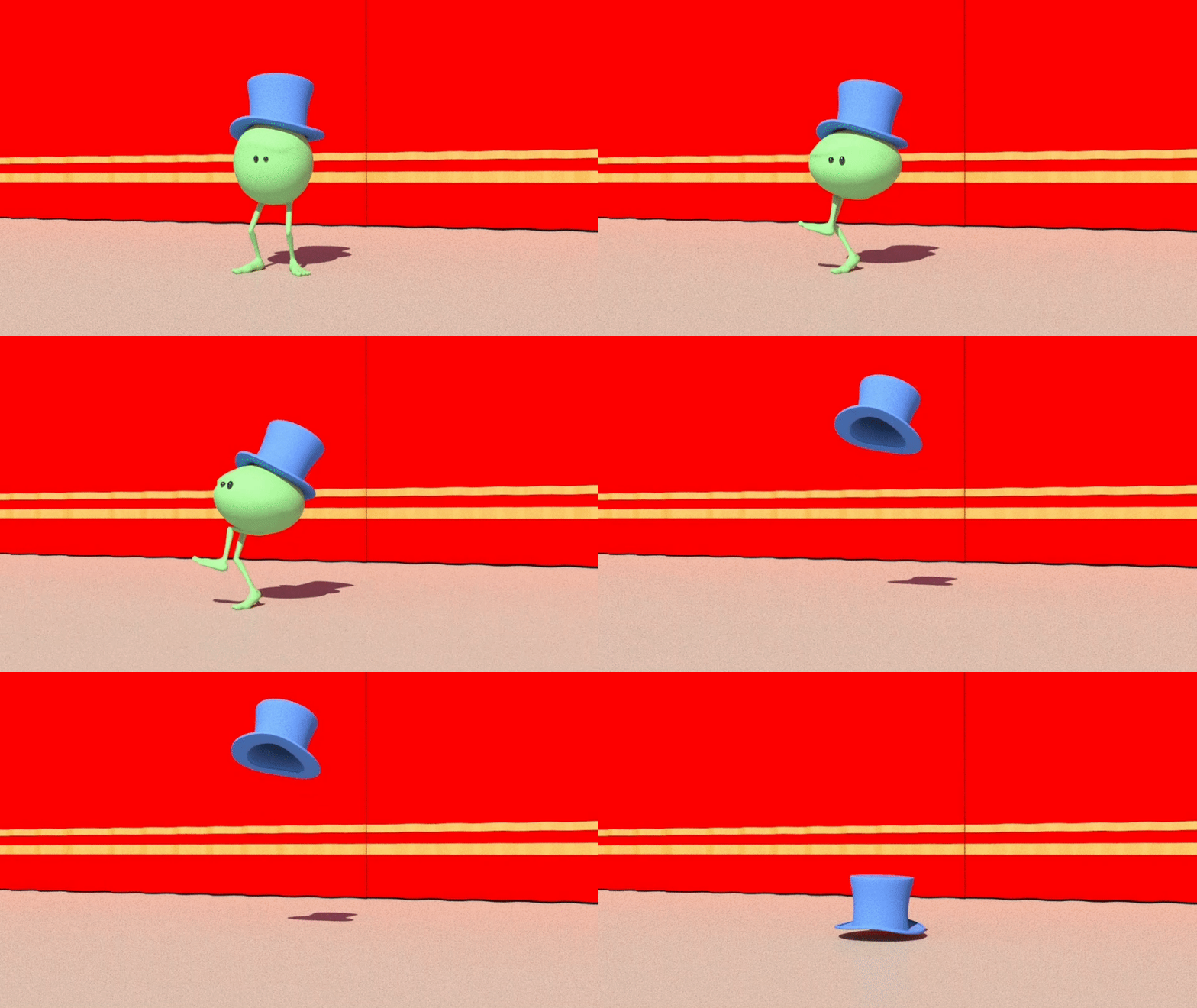 |
| Monty: "I'm Outta Here!" |
But how can you animate dialogue and lipsync - with no lips? The answer is - it's all in the performance. If the body language is working, then the audience will believe that the character is speaking - even if it has no mouth.
Tuesday, 4 June 2024
Anticipation, Action & Reaction Tutorial

The reaction at the end is the camera shake, simulating the air pressure as the car whizzes past.
Saturday, 25 May 2024
Animate a Swimming Jelly with Caustics
 |
| Jelly animation by Maeva Israel |
The idea is to do some very simple animation of an underwater scene, then add a caustic effect to reproduce the effect of light penetrating water.
The Jelly/Squid rig can be downloaded for free here.
Friday, 24 May 2024
SuperHero Pets! A Creativity Exercise
Welcome to Super Hero Pets! This is a fun exercise designed to help imagine an original TV or web series. Your goal is to learn the basic building blocks of story, story-telling and character, by imagining a short film based on your first pet, or cuddly toy. Start by imagining the characters, who they are, and what they do. Then design your four main characters.
Wednesday, 22 May 2024
How Do Animators Get Hired For Games?
Into Games is hosting a free live-streamed talk today Wednesday 22nd May at 1pm UK time for animators seeking a career as an animator in the Games Industry.

The title of the talk is "Animation: Communicating the fundamentals. How to Prove You've Got The Experience".
Today's talk is for animators who are either "pre-games or very early in their games industry career".
The talk will be delivered by Hannah Kravets a Gameplay Animator currently working with Climax Studios.
Tuesday, 14 May 2024
Smear Frame Animation Tutorial in Maya

But how do you do a Smear Frame in 3D animation, using Maya character rigs? Watch our free tutorial to find out.
Wednesday, 8 May 2024
Fish Swim - Free Animation Tutorial
 |
| Animate a fish swimming in Maya |
Start with a single side-to-side rotation of the fish; then copy and paste the curves down the fish's body, offsetting each curves by a frame or two.
The result is the distinctive swish of a fish's tail. The underwater lighting with caustics can be done with a few clicks.
Wednesday, 1 May 2024
Animate a Submarine Underwater with Caustics
 |
| Animate a Submarine Underwater |
The idea is to do some simple animation of an underwater scene, then add a caustic effect to reproduce the effect of light penetrating water.
Tuesday, 30 April 2024
Attach and Un-Attach a Hat in Maya
 |
| Attach & Un-attach a Hat in Maya Using the Parent Master |
The ZV Parent Master Plugin is a very useful tool that we recommend for attaching and un-attaching objects in Maya. To see how to download and install the Parent Master, read this blog post and watch this video.
Friday, 26 April 2024
Animate a Camera Shake in Maya
 |
| Animate a Camera Shake in Maya with Monty |
To animate the camera shake is simple - it's just a few keyframes on the x rotation on the shot camera, simulating what might happen to a real camera operator if (as in this example) a school bus were to whizz past at high speed.
Thursday, 18 April 2024
Why Animators Should Avoid "CCTV Camera"
One of the most common mistakes junior animators make when staging their shots is to position the camera above the action, looking down on the characters. This can be tempting to do, because it is an easy way to capture everything that is going on. However "CCTV Camera" is usually a mistake (though you might need to create a particular effect in certain circumstances). A better choice is to position the camera at eye level - where the camera becomes a non-participant observer in the scene. Watch this very short video to see why.
Wednesday, 17 April 2024
Animate a Vehicle Coming to a Sudden Stop

This is a fun, simple tutorial that is aimed at animation beginners in Autodesk Maya, part of our series of animation basics for students who have never used Maya before.
Monday, 15 April 2024
Animate a Traffic Cone Being Knocked Over
 |
| Animate a Traffic Cone Being Knocked Over |
You can however use any vehicle, and animate it by simply setting a keyframe at the start and the end of the motion. The timing of the traffic cone is very simple; with just a few rotation keyframes we can add texture to the scene.
Friday, 5 April 2024
Free Rigs and Sets for Animators at Anim-Matt
 |
| https://anim-matt.gumroad.com/ |
Subscribe to:
Posts (Atom)