In this super basic tutorial we show how to do very basic modelling and texturing in Autodesk Maya and Photoshop to create a Cereal Box. This tutorial is divided into two parts - the Maya part, where we create the box and UV it (above), and the Photoshop part (below), where we do the texturing.

Showing posts with label Texturing. Show all posts
Showing posts with label Texturing. Show all posts
Tuesday, 10 October 2023

Monday, 2 October 2023
How to Texture Dice in Autodesk Maya
In the free video tutorial above we tackle a super simple modelling and texturing exercise - how to create a die (single of dice), bevel it, and texture it, downloading a texture map from the web. The tutorial is aimed at complete beginners who have never used Autodesk Maya before. In addition, you can follow the steps outlined below, including - for extra sophistication - how to add a bump map (not covered in the video above).
Monday, 5 October 2015
Learn Basic Texturing in Maya for Free!
Here at Animation Apprentice we focus primarily on character and creature animation - we don't dig deep into the rest of the 3D animation pipeline - there just isn't the time. But we do expect our students to master the basics of the Maya pipeline, so as to be able to make a killer demo reel (or even a short film). Fortunately, for those who want to expand their skills beyond animation, there are now many, many free resources on the web, especially at YouTube, to learn many of the basic disciplines in Maya.
Thursday, 21 May 2015
Student Showcase - Steve Woodhouse
 |
| 3D render by Steve Woodhouse |
Monday, 22 September 2014
Free Textures! www.cgtextures.com
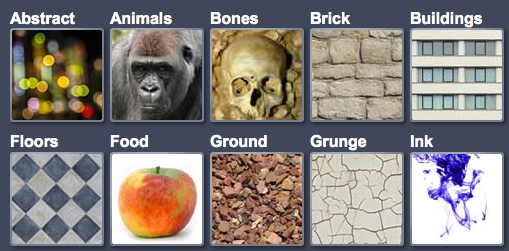 |
| Free textures at www.cgtextures.com |
Subscribe to:
Posts (Atom)